Ledger Reconciliation Report
The Ledger Reconciliation Report is designed to help campus fiscal officers review and reconcile their accounts each month. We recommend trying this report as an alternative to your monthly reconciliation procedure. This report is located in the Decision Support portlet under “General Ledger - Campus Reports.”
The report provides a breakdown of all the transactions affecting the account for a given accounting period.
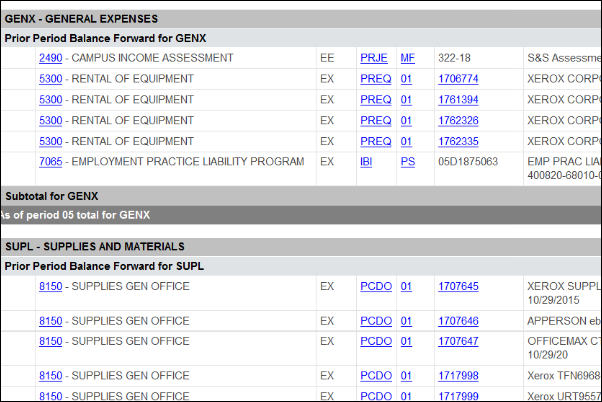
Understanding the Report
The report lists the selected month’s transactions and previous month’s balance according to whether they are income or expense and grouped by consolidation (SUPL, GENX, BENF, etc). Columns provide more information including document number and type, the description, and amounts for budget, actuals, and balance.
In some cases, this information is clickable, allowing you to, for example, jump right to the relevant KFS e-document. At the bottom of each consolidation is the totals for the period and for the fiscal year so far.
Reconcile Your Accounts Regularly
Accounting & Fiscal Services recommends that Fiscal Officers review their accounts once a month to look for any transactions that might need to be corrected. Doing so will make the year-end closing process much simpler.