How the GEC looks on the General Ledger

On the general ledger, the General Error Correction e-document creates two sets of entries:

  1. A reversing set of entries against the original transaction:
    • If the entry or entries being corrected are expenses, a credit for each entry will be created by the GEC.
    • If the entry or entries being corrected are income entries, a debit for each entry will be created by the GEC.
  2. A new set of entries to reflect the correctly intended transaction:
    • If the original entry or entries are expenses, a debit entry or debit entries would be created by the GEC.
    • If the original entry or entries are income entries, a credit entry would be created.

GEC Accounting Lines
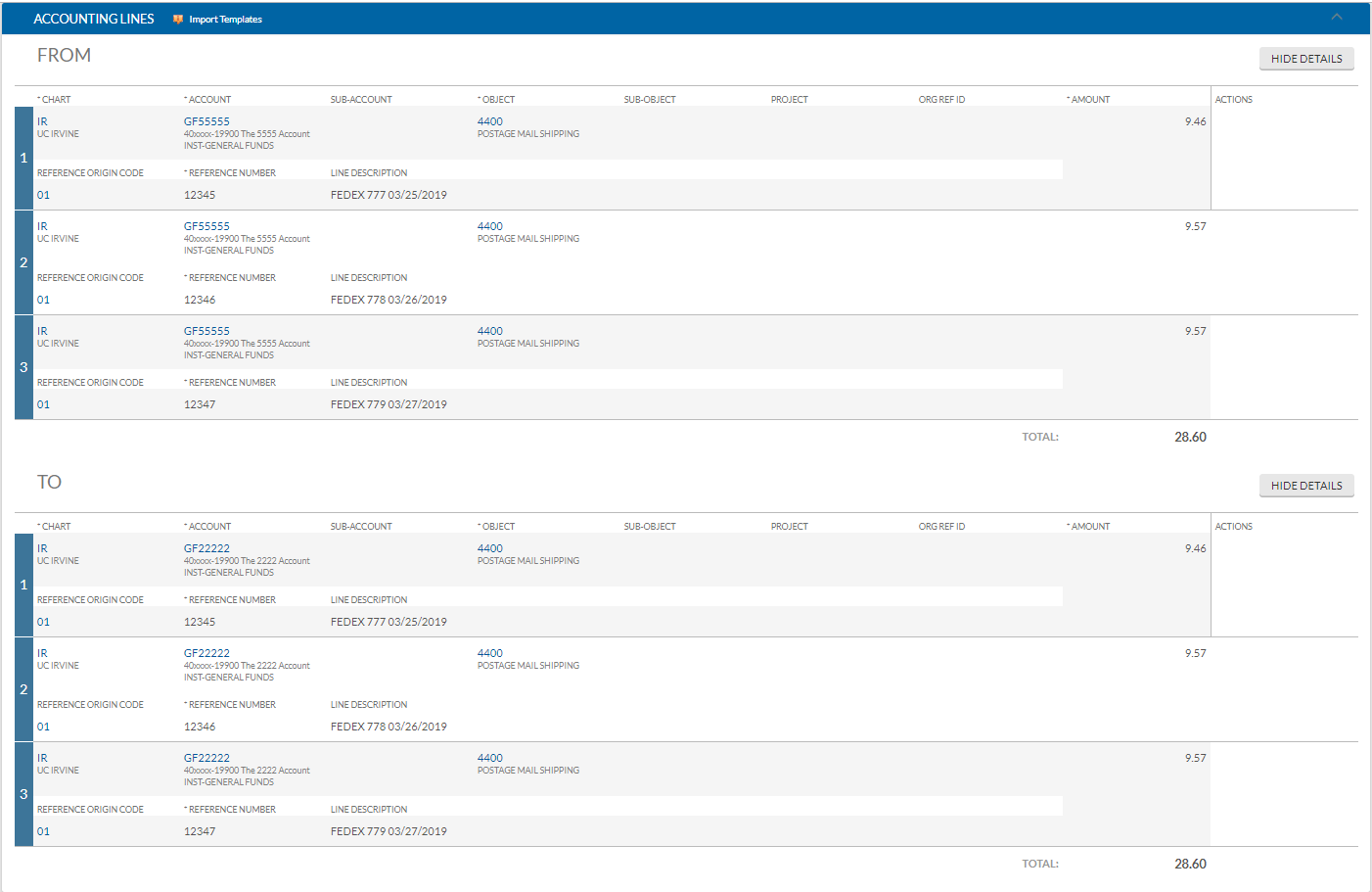
GEC Accounting Lines section displaying the required fields: account number, object code, expense or encumbrance, and amount
The GEC Accounting Lines section showing the required fields that must be completed for each entry: account number, object code, expense or encumbrance, and amount.

General Ledger Original Entries and the Reversal Entries

Account Transaction Report showing the original general ledger entries alongside the reversing credit or debit entries created by the GEC
The Account Transaction Report displaying the original general ledger entries and the corresponding reversing entries generated by the GEC. Expense entries receive a credit reversal, and income entries receive a debit reversal.

New Entries to Correct Full Accounting Unit

Account Transaction Report showing the new correcting debit or credit entries posted to the correct account by the GEC
The Account Transaction Report displaying the new entries created by the GEC to reflect the correctly intended transaction, posted to the correct Full Accounting Unit. Corrected expense entries appear as debits and corrected income entries appear as credits.