Organizations
Organizations in KFS uniquely identify units or groups of accounts within the system. Organizations in KFS are defined by a 4 character code. Each Organization Code can report to another organization, creating a hierarchy.
Organizational Hierarchy
Each organizational will belong to a level within the organizational hierarchy. Below is an example of an Organizational Hierarchy:
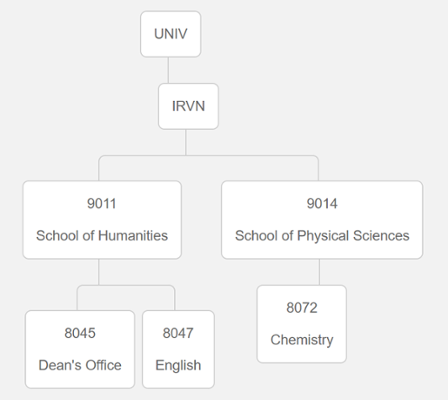
See all Organization Codes with Chart of Accounts Inquiry
The Chart of Accounts Inquiry report can be used to see a listing of all organization codes.
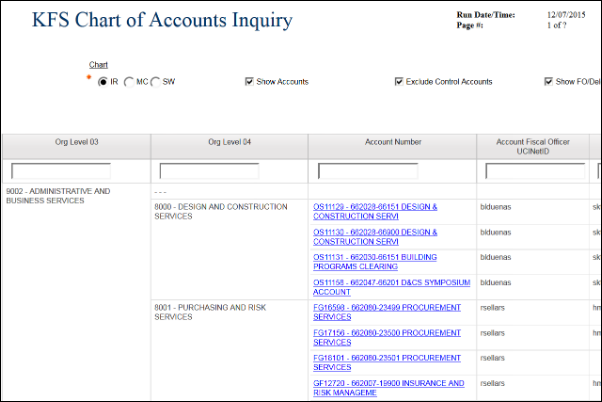
Here is how to find it:
- Go to ZotPortal and log in with your UCINetID
- Click on the "KFS/Finances" tab
- Go to the "Decision Support" portlet
- Expand the "Chart of Accounts – Lookups" section
- Click the link for "Chart of Accounts Inquiry"
On the report screen, look for three radio buttons at the top that allow you to select between Organization, Accounts, and Object Codes. If you select Organization, the entire hierarchy of UCI's org code structure will be displayed below, branching from left to right.