How to look up Encumbrances in KFS
Encumbrances
An Encumbrance is a type of transaction created on the General Ledger when a Purchase Order (PO), Travel Authorization (TA), or Pre-Encumbrance (PE) document is finalized. The encumbrance transaction shows an outstanding commitment by an organization. When an encumbrance is established, the organization’s financial manager should ensure that funds will be available to pay for the transaction, in accordance with the contract's overall life cycle.
Encumbrance Balance Type Codes
| Name | Balance Type Code | Description |
|---|---|---|
| External Encumbrance | EX | Commitment of funds generated by purchase orders are recorded using the EX balance type. |
| Cost Share Encumbrances | CE | Contract & Grant Cost Share Encumbrances are created for purchase orders that are cost share funded. |
| Internal Encumbrance | IE | Internal Encumbrances represent the commitment of funds generated by a Travel Authorization document. |
| Pre-Encumbrance | PE | Pre-encumbrances, created and relieved using the Pre-encumbrance e-doc, allow departments to further commit funds to facilitate financial management. |
Open Encumbrances Lookup
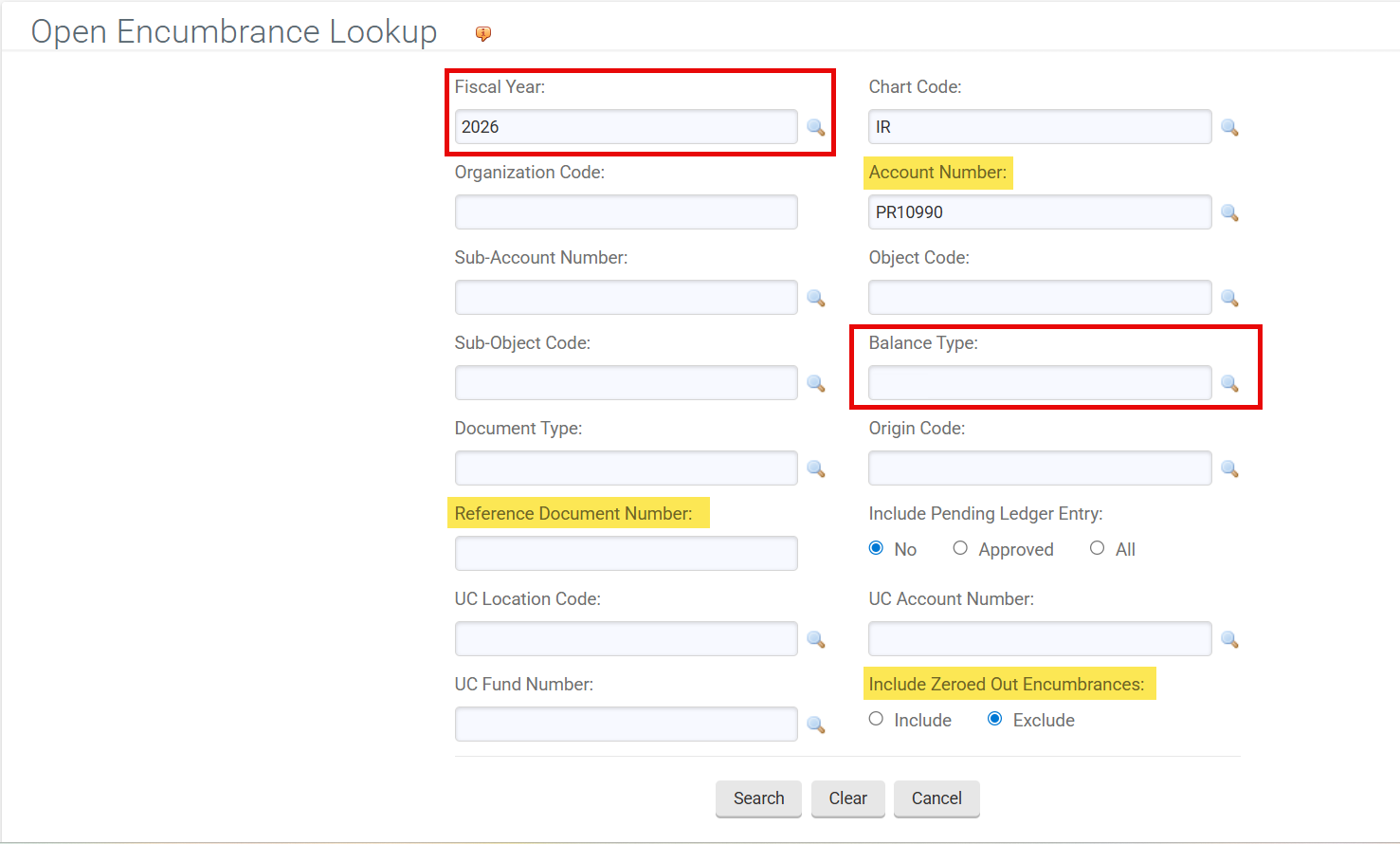
The Open Encumbrances Look up displays the details for open encumbrances. You must enter the fiscal year, chart, and account number, or the fiscal year and document number.
How to Access
- Log in to ZotPortal and select the Finance/KFS Tab.
- If accessing from off-campus, make sure you are logged into the Software VPN.
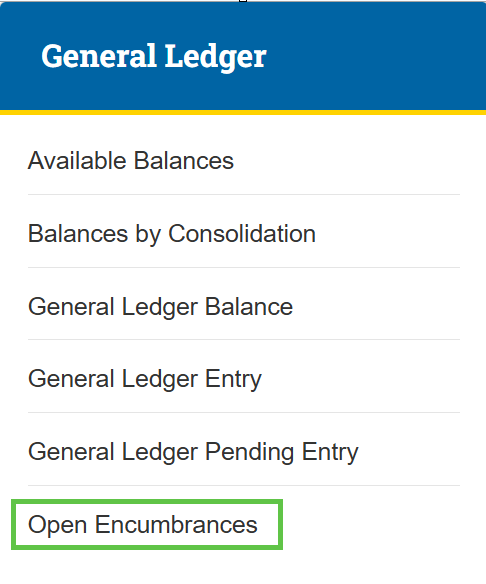
- Navigate to the General Ledger section.
- Select Open Encumbrances.

Tip: For step-by-step instructions with screenshots on how to access KFS from the KFS homepage and use the Jump To box (Ctrl+K / Cmd+K) for quick navigation, see the KFS Access Guide.
If you need help logging into the OIT Software VPN, or are unsure about your KFS access, see Accessing the Kuali Financial System. This page also helps you identify your Department Security Administrator (DSA), who can assist with access issues.
How to Search
Enter the account number and other search criteria, such as Reference Document Number.
- The Reference Document Number is the Purchase Order (PO) number for PO encumbrances, and the TEM Doc Number for TEM encumbrances.
- Leave the Balance Type blank to see all balance types on an Account or Organization.