How to Look up Balances by Consolidation
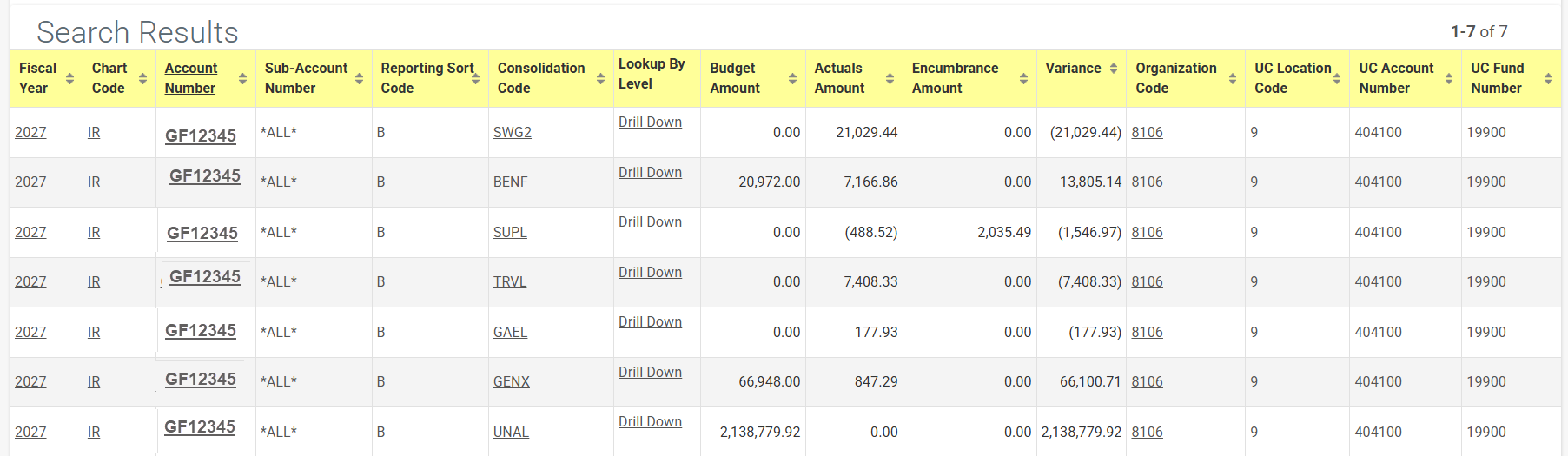
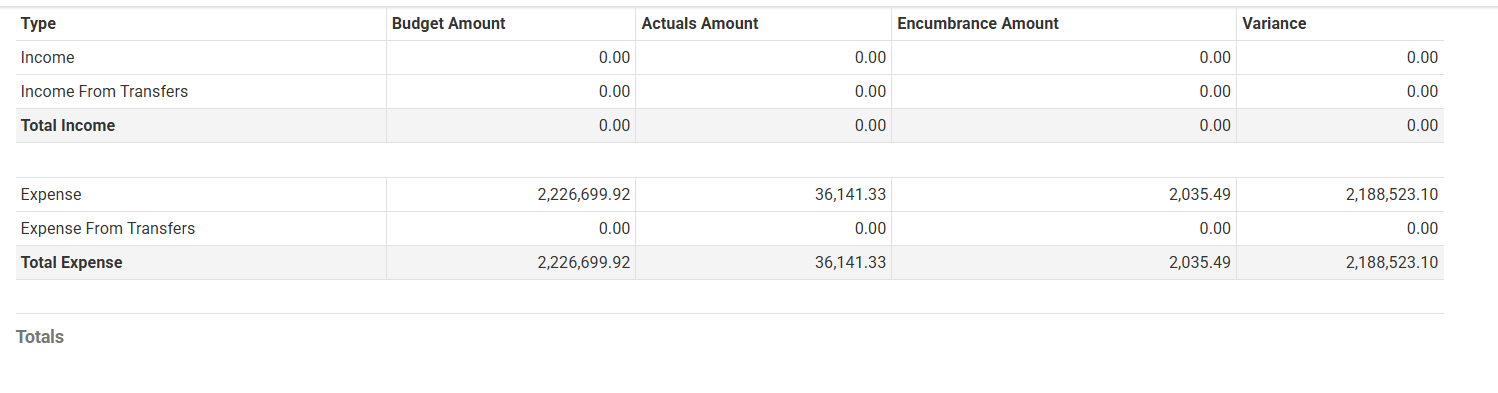
Results for the Balances by Consolidation inquiry show budget, actual, encumbrance, and
variance by account consolidation, based on the Consolidation Object levels. For expenses, variance
equals budget, less actual, less encumbrance. For revenues, variance equals actual, less budget.
How to Access
To look up Balances by Consolidation, go to Zot Portal and login using your UCnetID.
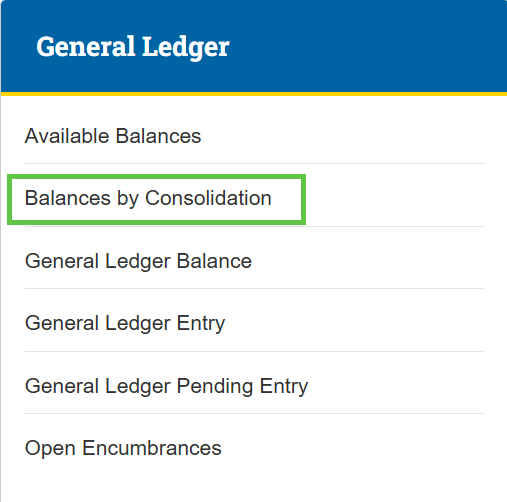
Select the Finances/KFS tab, then go to the KFS General Ledger section and select the Balances by Consolidation link.

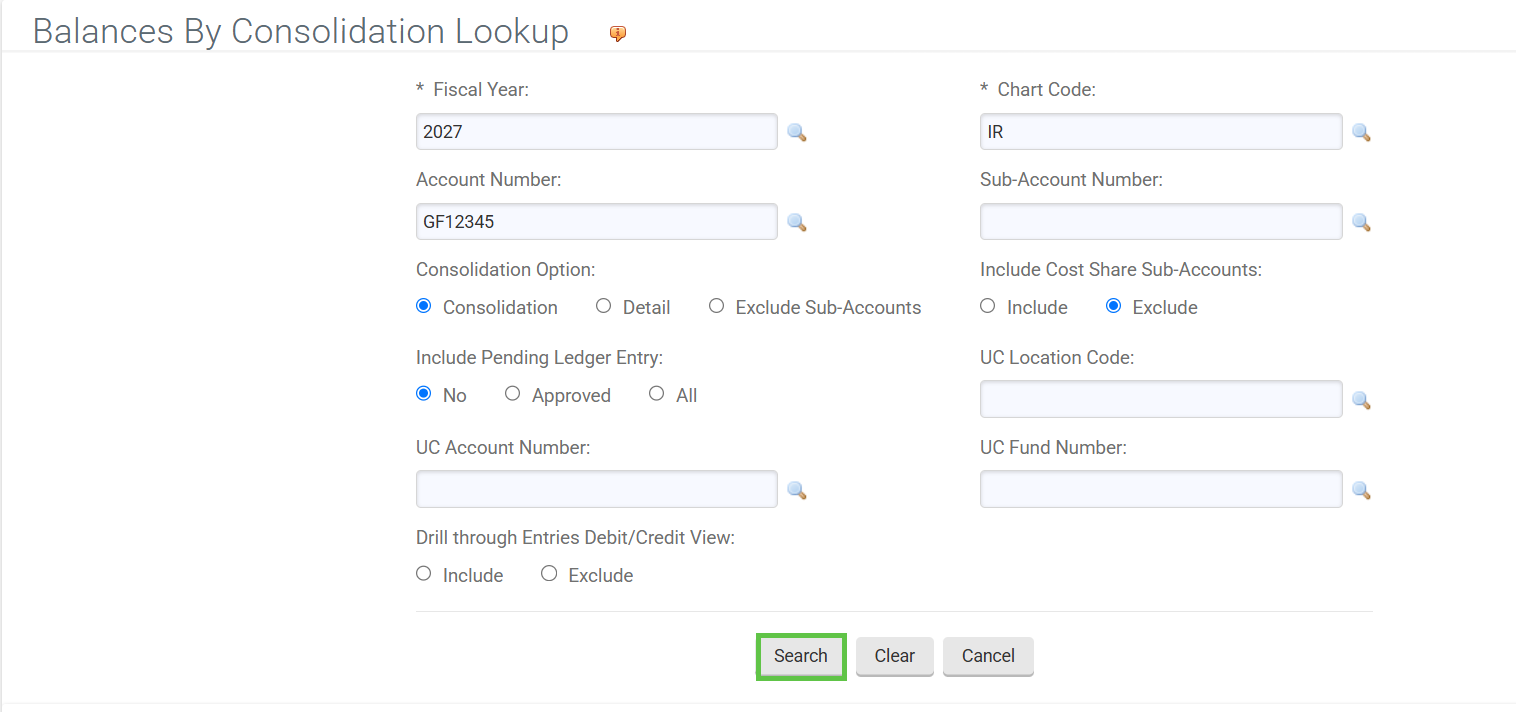
- Enter desired search criteria.
- Note: Users can search some fields using only partial information by placing an asterisk (*) before and after the text portion of the search criteria. See our Searching in KFS page for more all wildcard characters.
2. Press the search button once you’ve entered the search criteria.