How to Look up an Award e-Doc in KFS
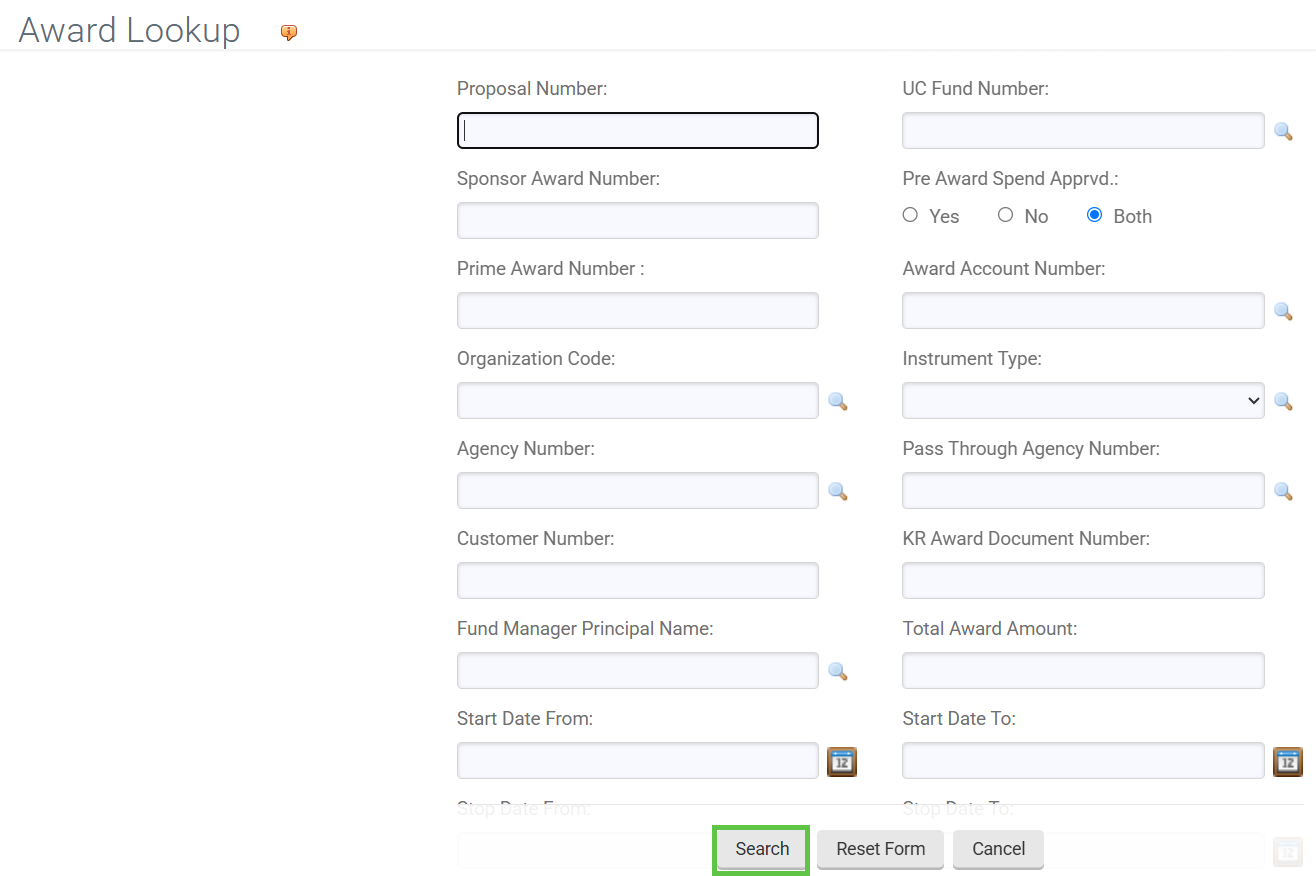
In the Award eDoc you can find the proposal number, agency award number (Root Award Number), Stop Date (Period of Performance End Date), UC fund number, Project Title, Start Date (Period of Performance Begin Date), Total Award Amount (the total amount of the award, not specific accounts), Fund Manager Name (Central Contracts and Grants Accountant assigned to that fund) and other information.
How to Access
- Log into ZotPortal using your UCInetID and password.
- If accessing from off-campus, make sure you are logged into the Software VPN.
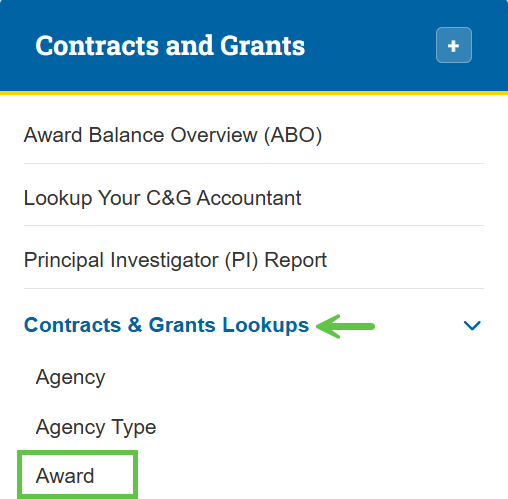
- Navigate to the Contracts and Grants section.
- Expand the Contracts and Grants Lookups menu.
- Select Award.

- Enter desired search criteria.
- Note: Users can search some fields using only partial information by placing an asterisk (*) before and after the text portion of the search criteria. See our Searching in KFS page for more all wildcard characters.